Pomodoro Timer Online: A Free, Customizable Tomato Timer for Real Focus
You open twenty tabs. Bookmark three articles you'll never read. Restart your laptop for no real reason. Forty minutes disappear before you've typed a single word.
If that sounds familiar, you probably don't need more willpower, you need shorter deadlines. That's the whole idea behind a pomodoro timer, also known online as a tomato timer, a tomato clock, or, if you grew up around the actual kitchen gadget, a timer tomato.
This site runs a free pomodoro timer online. It's customizable, it keeps a running task list, and unlike most timers you'll find, it doesn't look like it was built for a factory floor.
What Is a Pomodoro Timer? (And Why People Call It a Tomato Timer)
Short answer, since a lot of people land on a page like this just wanting one: a pomodoro timer runs your work in fixed blocks, usually 25 minutes, followed by a short break. Four blocks in, you get a longer break. That's the pomodoro technique in full, no software required, no dashboard, no login.
The "tomato" part isn't a metaphor. In the late 1980s, a university student in Italy named Francesco Cirillo was struggling to study without getting pulled off task every few minutes. He grabbed the timer sitting in his kitchen, shaped like a tomato, a common style for Italian kitchen timers at the time, and started timing his study blocks with it. He noticed something most of us have felt but never put a name to: work feels lighter when the next break is only minutes away.
The tomato-shaped timer itself is long gone from most desks. The name stuck anyway. That's why you'll see the same method called a tomato timer pomodoro, a pomodoro tomato timer, or just a tomato timer online, depending on who's searching for it. Same technique, different name, one tomato somewhere in the family tree.
Worth mentioning: plenty of literal tomato timers still get sold in kitchen shops and on Amazon, completely unrelated to focus or productivity, they're just egg timers shaped like tomatoes. This one's digital, built for your desk instead of your stovetop, and it does a lot more than count down.
How a Pomodoro Session Actually Works
Here's the mechanics, step by step:
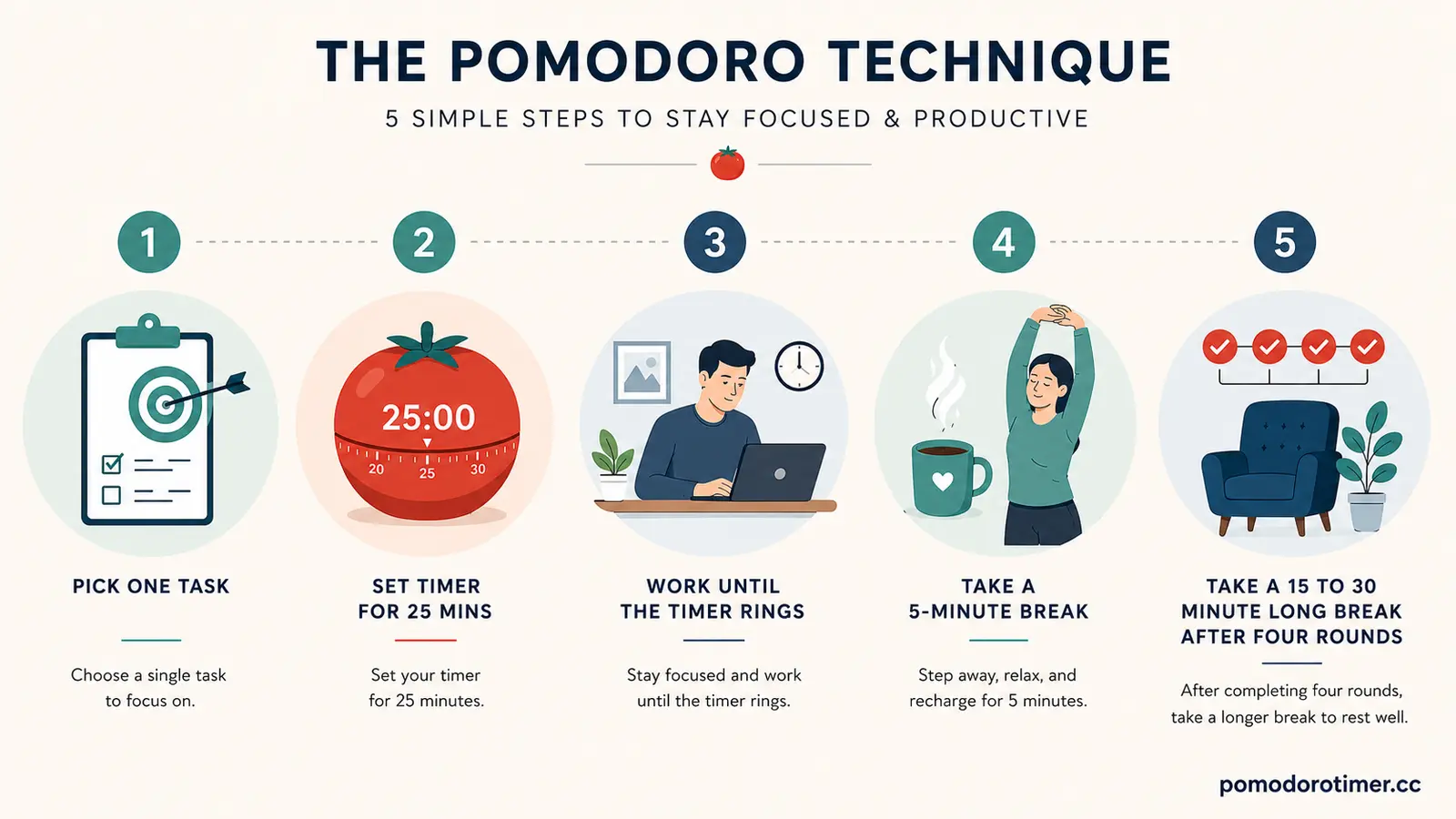
- Pick one task. Not five, one.
- Set the timer. 25 minutes is the classic pomodoro time, but this timer lets you set your own.
- Work until it rings. No tab-switching, no "quick" email check.
- Take a 5-minute break when the pomodoro session ends. Stand up. Look at something that isn't a screen.
- After four rounds, take a longer break, 15 to 30 minutes.
That's the whole cycle. A 25 pomodoro timer (25 minutes on, 5 off) is the original version, and it's still where most people start, but plenty of users switch things up once they've got a sense of their own rhythm, more on that below.
Set a Pomodoro Timer That Actually Fits You
That's really the point of a pomodoro custom timer: not everyone's brain runs on 25-minute intervals. Deep, uninterrupted writing might need more room to build momentum. A stack of quick emails might need less.
This is a customizable pomodoro timer online, not a fixed countdown:
- Session length: anywhere from a quick 10-minute sprint to a long pomodoro timer of 50 or 90 minutes, depending on the work in front of you.
- Short break length: the default 5 minutes, or however long actually resets your head.
- Long break length: 15 to 30 minutes after every four rounds, or your own number.
- A lunch break option: the one most timers skip entirely. If you're running pomodoros across a whole workday, you can build a pomodoro timer with lunch break into the cycle, instead of pretending a 5-minute pomodoro timer break covers an actual meal.
Once you set it up the way you like, it stays that way. No re-entering your numbers every session.
Pomodoro Timer With Task List
A timer on its own tells you when to stop. It doesn't tell you what you actually got through. That's why this pomodoro timer with task list is built right in, add what you're working on, check items off as you finish, and see how many pomodoros each one actually took.
That last part matters more than it sounds. Most people misjudge how long things take until they've timed a few. Once you know a monthly report usually eats three pomodoros and your inbox never takes more than one, planning the rest of your day gets a lot less guessy.
Tomato Study Timer: Using It for School and Exam Prep
Ask any group of students how they get through revision week, and a fair number will mention a tomato study timer or a pomodoro study session at some point. It's one of the oldest use cases for the whole method, and it hasn't aged out.
A few reasons it holds up for studying specifically:
- Twenty-five minutes is short enough that starting doesn't feel like a whole event.
- Regular breaks stop your attention from quietly draining away mid-chapter.
- A finished pomodoro is a small, real sense of progress, useful when a syllabus feels endless.
- The next break is always close, so drifting off into your phone feels less tempting.
If you're studying, pair each session with one specific goal instead of a vague one. "Finish these 12 practice problems" beats "study math" every time. The timer keeps the clock. You keep the goal.
Why Short Bursts Beat Marathon Sessions
Three straight hours at a desk sounds like dedication. In practice, almost nobody holds real focus that long. Attention rises and falls in waves, and after a while your brain needs a genuine reset, whether or not you notice the dip happening.
Psychology has a name for part of what's going on here: the Zeigarnik effect, first described by psychologist Bluma Zeigarnik, the tendency for your brain to hold onto unfinished tasks more tightly than finished ones. Step away from a task mid-flow on purpose, and your brain keeps half an eye on it, which is a big part of why a short, planned break leaves you with more momentum than losing focus by accident ever does.
It's the same instinct behind ideas like time blocking and batching similar tasks together, work in defined chunks, and your brain starts treating the chunk as a single unit instead of an open-ended slog.
Pomodoro Technique for Work, Not Just Study
The pomodoro technique isn't a student-only trick. Writers, developers, freelancers, customer support teams, anyone juggling a long list and a short attention span ends up using some version of it, whether or not they'd call it by name.
As a plain productivity timer, it fixes something most planning apps miss entirely: knowing what to do isn't the same as doing it. You can have a perfectly organized to-do list and still stall out before the first task. A timer skips that problem completely. You don't need motivation to start a 25-minute block. You need 25 minutes.
Common Pomodoro Mistakes Worth Avoiding
A method this simple still has a few ways to go sideways:
- Making sessions too long. Stretching a pomodoro to an hour "to get more done" usually backfires, you lose the exact momentum the short block was giving you.
- Skipping breaks. The break isn't dead time bolted onto the technique. It's half the technique.
- Multitasking inside one block. One task, one timer. Splitting attention inside a single pomodoro defeats the point of setting one at all.
- Treating interruptions as failure. Someone knocks on your door mid-session, fine. Pause, deal with it, start a fresh round. No need to write off the whole day over it.
FAQ
What is a pomodoro timer?
A timer that breaks work into fixed blocks, usually 25 minutes, followed by a short break, with a longer break after every four rounds.
Is a tomato timer the same as a pomodoro timer?
Yes. "Pomodoro" is Italian for tomato, named after the tomato-shaped kitchen timer its creator originally used. Tomato timer, tomato clock, and pomodoro timer all point at the same method.
How long is a pomodoro session?
Traditionally 25 minutes of work and a 5-minute break. This timer lets you set your own numbers if 25 doesn't fit your day.
Can I set a long pomodoro timer instead of the standard 25 minutes?
Yes, session length is fully adjustable, whether you want a quick sprint or a 90-minute deep-work block.
Does it include a lunch break option?
Yes. You can set a longer break around midday instead of relying on a standard 5-minute break to cover lunch.
Is there a pomodoro timer with a task list?
Yes. Add your tasks, check them off, and see how many pomodoros each one took.
Do I need an account to use it?
No sign-up. Set your timer and start.
Start Your First Pomodoro
No account, no manual, no setup beyond picking your numbers. Pick one task, set the timer, and start. Twenty-five minutes from now, or however long you've set, you'll already be further along than you were when you opened this page.